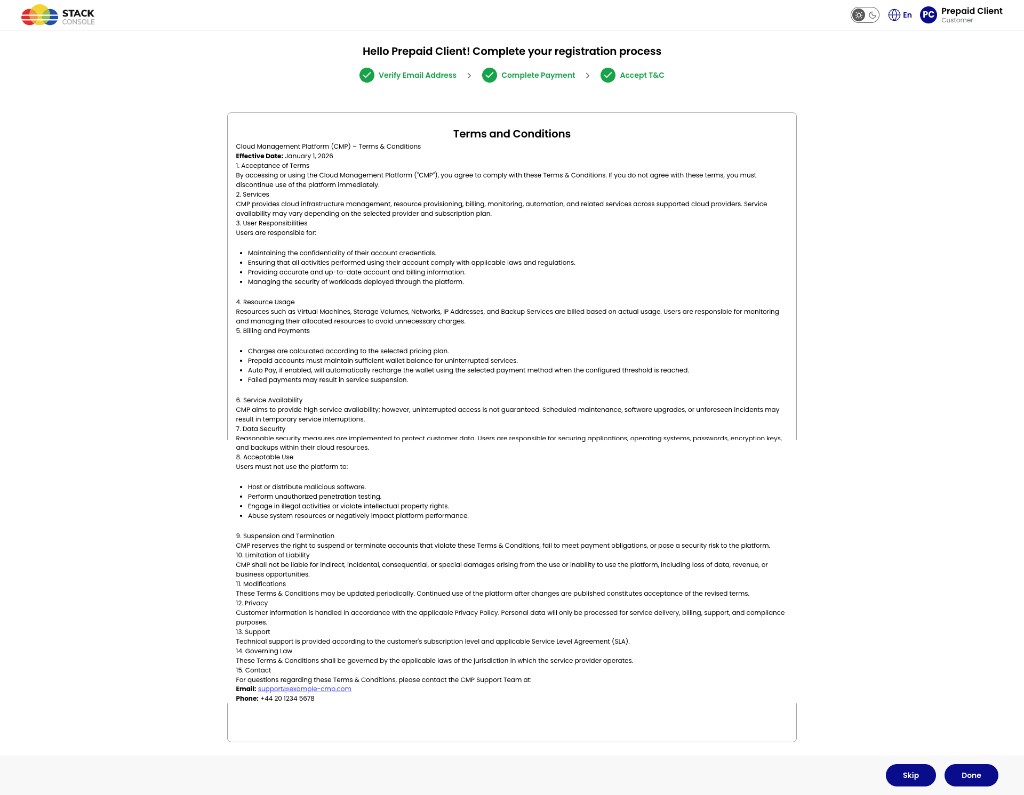
In-step form (registration flow)
In this approach, the full Terms and Conditions are shown inside the registration flow (for example the Accept T&C step after email verification and payment). Customers review and accept without leaving CMP for an external website.
Use this when one-liner mode is not used, or when you want rich, branch-specific legal text with personalization.
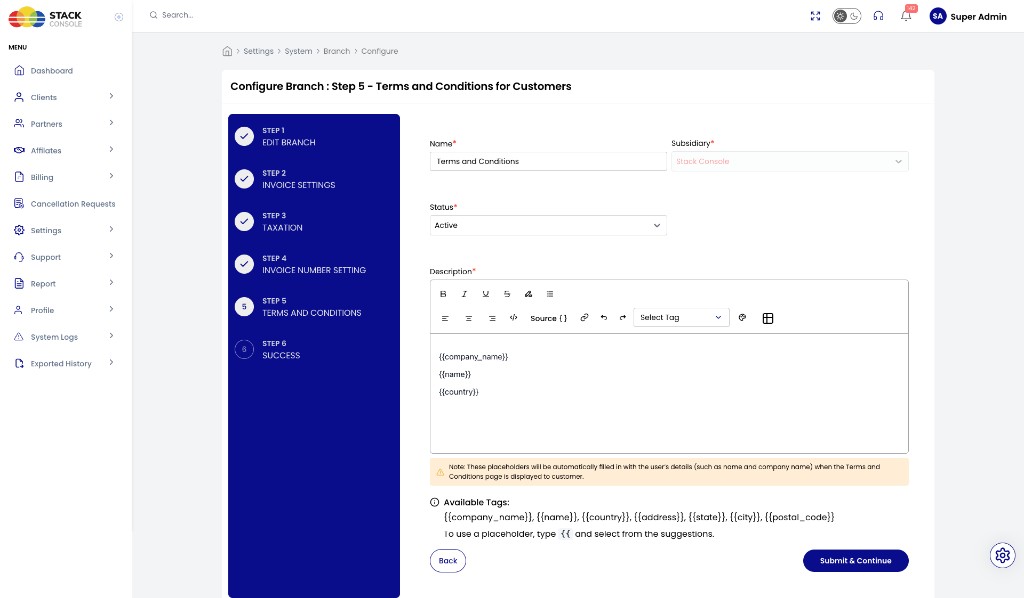
Admin configuration (per branch)
Path: Admin → Settings → System → Branch → [branch] → Configure → Terms and Conditions (wizard Step 5)
See also Branches for the full Configure wizard.
img/screenshots/cmp-branch-terms-and-conditions.png
Form fields
Name
Required. Name of this terms record (for example Terms and Conditions).
Subsidiary
Required. Branch / subsidiary this content belongs to (for example Stack Console). Often pre-selected for the branch you are configuring.
Status
Required. Active or inactive. Only Active terms are shown to customers.
Description
Required. Full terms body in the rich-text editor. Insert dynamic placeholders with Select Tag or by typing {{.
Placeholders are filled automatically with the customer’s details when Terms and Conditions are displayed.
| Tag | Typical use |
|---|---|
{{company_name}} | End client / company name |
{{name}} | End client name / contact name |
{{country}} | Client country |
{{address}} | Address |
{{state}} | State / province |
{{city}} | City |
{{postal_code}} | Postal / ZIP code |
To insert a placeholder, type {{ and pick from suggestions, or use Select Tag in the toolbar.
Click Submit & Continue to finish the wizard (Step 6: Success).
Customer registration view
During onboarding, the Accept T&C step shows the full document in-page. Customers can finish with Done, or Skip when enforcement is disabled.
img/screenshots/cmp-registration-terms-in-step.png
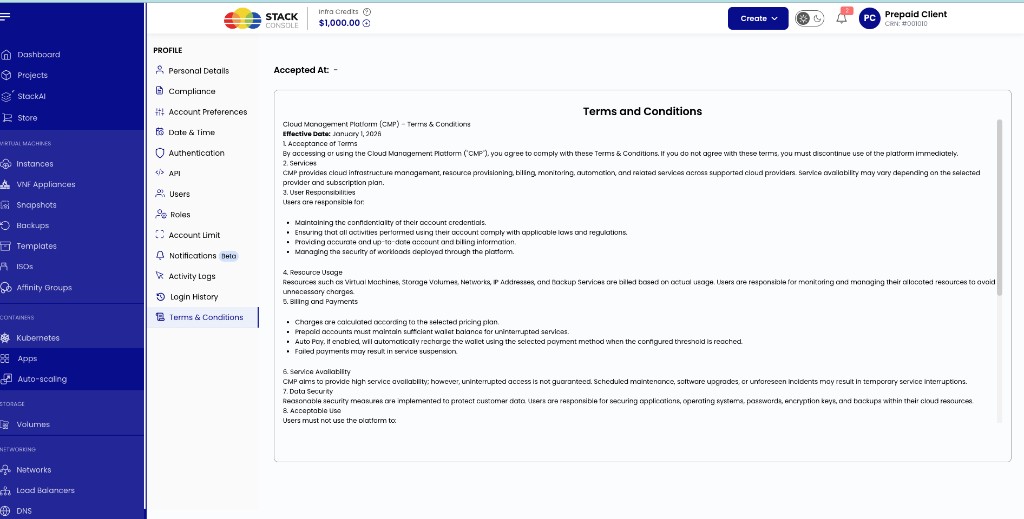
Customer Profile view (on-page)
After registration, Profile → Terms & Conditions can show the same in-product document (scrollable), with Accepted At when acceptance was recorded.
img/screenshots/cmp-profile-terms-on-page.png