Product Vendors
Vendors identify who supplies a product (procurement, support contacts, reporting).
Product Vendor is required when you create a product. You cannot save a product without selecting a vendor.
If you do not use third-party vendors — you deliver all Store services yourself — create one vendor record for your own organisation (for example your company or brand name) and select that vendor on every product.
Path: Settings → Products → Product Vendors
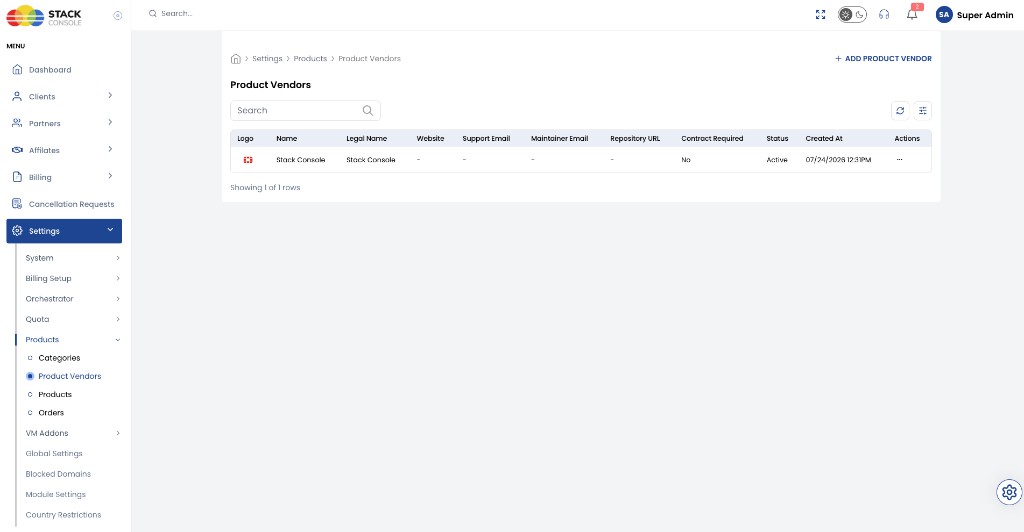
Add Product Vendor
Open + ADD PRODUCT VENDOR.
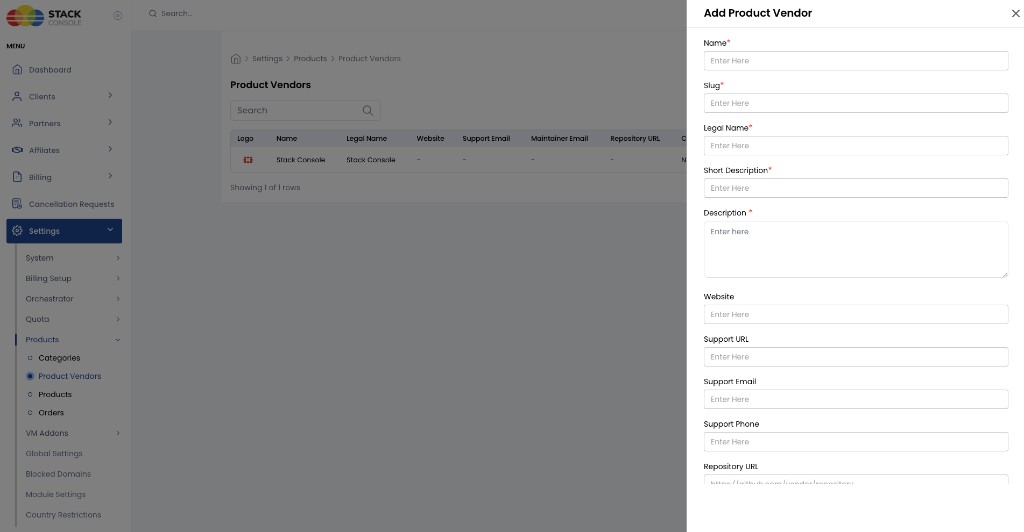
Name
Required. Display name of the vendor.
Slug
Required. URL-friendly identifier.
Legal Name
Required. Registered legal entity name.
Short Description
Required. Brief summary of the vendor.
Description
Required. Longer vendor profile text.
Website
Optional. Official website URL.
Support URL
Optional. Helpdesk or support page.
Support Email
Optional. Customer support contact.
Support Phone
Optional. Support phone number.
Repository URL
Optional. External repository URL (for example https://github.com/vendor/repository).
Documentation URL
Optional. Link to vendor documentation (for example https://docs.vendor.com).
Maintainer Website
Optional. Website for the product/vendor maintainer (for example https://vendor.com).
Maintainer Email
Optional. Maintainer contact email (for example maintainer@vendor.com).
Contract Required
Optional. Whether a contract is required before customers can order products from this vendor. When enabled, related products can show a Contract badge in the Store.
Status
Required. Vendor availability. Typical value: Active. Inactive vendors should not be used for new products.
Logo
Optional. Upload a vendor logo (browse and select a file). Shown in the vendors list and related product/vendor views.
Use Submit to save the vendor.