Customer Store
Customers purchase standalone products from the Store in the customer portal.
Path: Store (sidebar) — browse catalogue, buy products, and review existing product orders.
Browse and buy
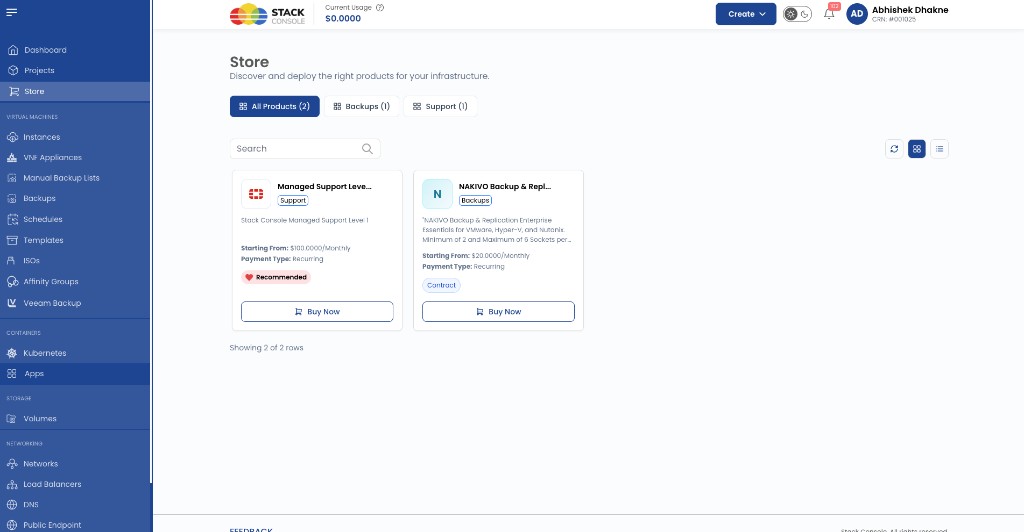
The Store shows:
- Category tabs (for example All Products, Backups, Support)
- Search and grid/list controls
- Product cards with category badge, description, Starting From price and cycle, payment type (Recurring / OTC / Free), and badges such as Recommended or Contract
- Buy Now to open product details
Product details
After Buy Now, CMP opens the product details drawer (Overview and Vendor Details).
img/screenshots/cmp-store-customer-product-overview.png
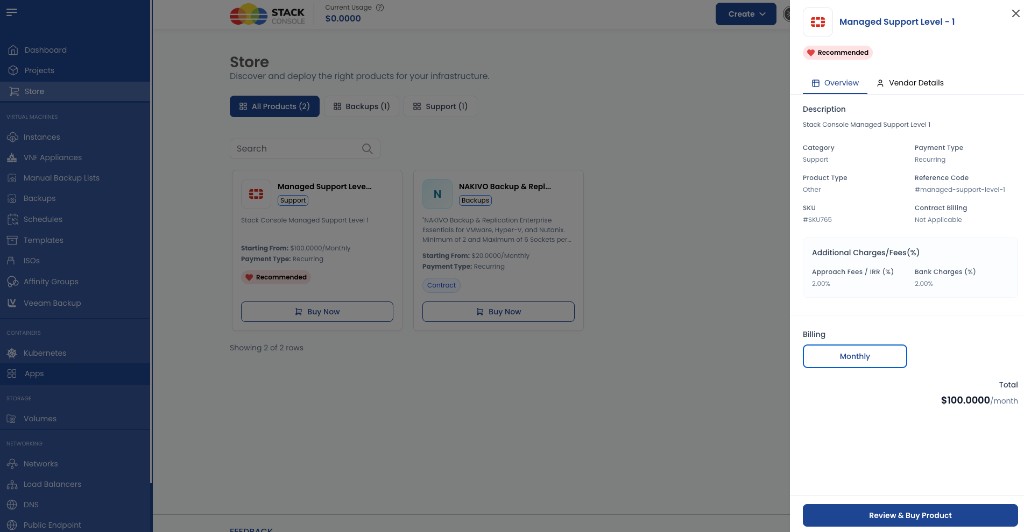
img/screenshots/cmp-store-customer-product-drawer.png
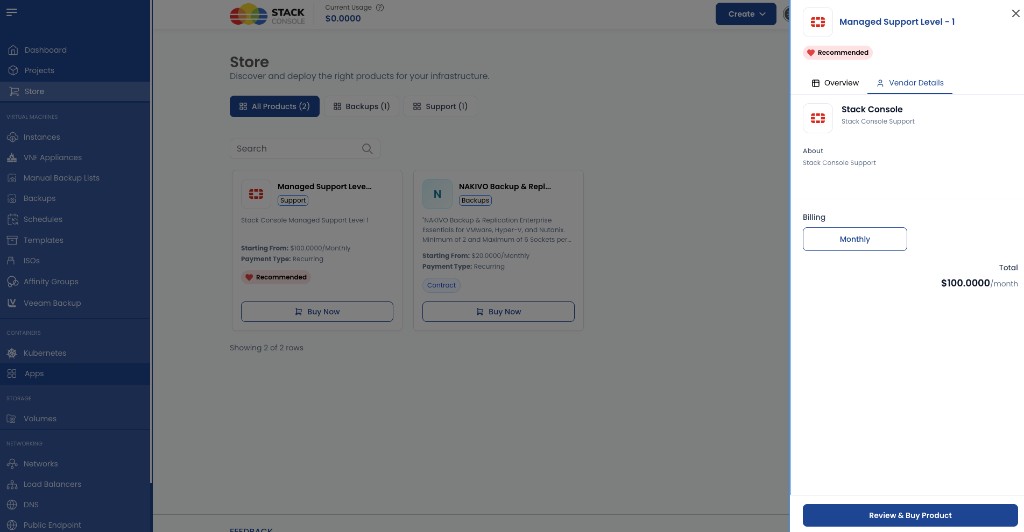
Overview typically includes vendor, about text, category, payment type, product type, reference code, SKU, contract billing, additional fee percentages, billing cycle selector, Total, and Review & Buy Product.
The billing cycle selector lists only the cycles enabled for that product (configured at product creation). If the product is monthly-only, customers will not see Quarterly or Yearly options — even if the admin rate card pricing grid has columns for those cycles. See Add Products — per-product billing cycles.
Use Review & Buy Product to complete checkout. Tabs may include Overview and Vendor Details.
My product orders
After purchase, customers see their product orders in Store (list of purchased products).
img/screenshots/cmp-store-customer-my-orders.png
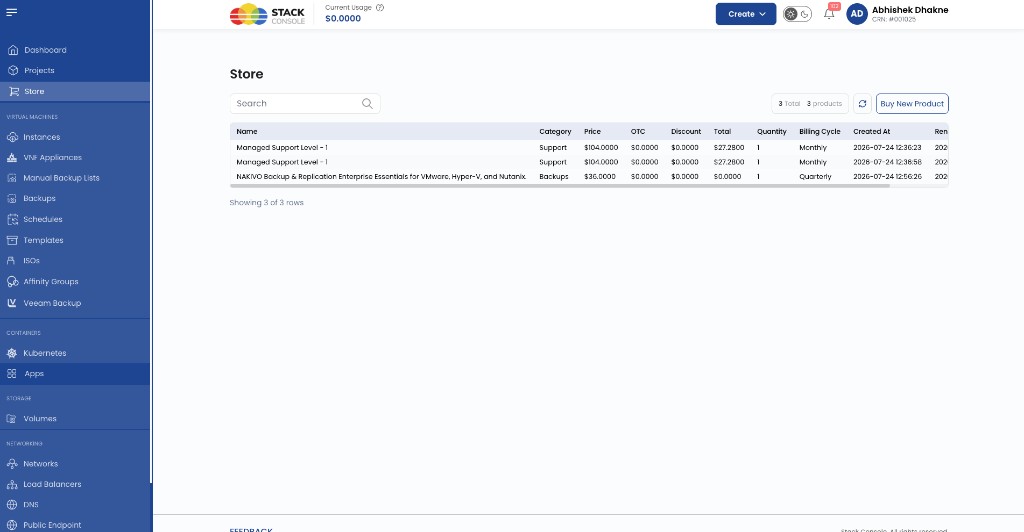
Columns typically include Name, Category, Price, OTC, Discount, Total, Quantity, Billing Cycle, Created At, and renew information. Use Buy New Product to return to the catalogue.
Order billing
Billing starts when the order is placed. Cycle and rule behaviour: Billing behaviour.
See also Products changelog for recent Store UI changes.
Order cancellation
Cancellation and mid-cycle deletion behaviour depend on invoices already generated. See Important customer scenario (deletion).