Affiliate Details (Admin)
Open an active affiliate from Affiliates → Manage Affiliates → Active Affiliates to manage account data, referrals, commissions, and settings.
Path: Affiliates → Manage Affiliates → Active Affiliates → View (eye icon)
Affiliate header
The header shows summary information and quick actions for the selected affiliate:
| Area | Examples |
|---|---|
| Profile | Name, email, CRN, contact number, address |
| Status | ACTIVE |
| State | ONBOARDING_COMPLETE |
| Signup date | Registration timestamp |
| Affiliate for | Duration since approval |
| Last login | Last affiliate portal login |
Quick actions may include login as affiliate, reset password, send message, and manage profile.
Detail tabs
| Tab | Purpose |
|---|---|
| Summary | Performance stats and referral link |
| Account Details | Edit name, address, currency, status |
| Tax Documents | W8 / W9 uploads from registration |
| Referred Signups | Customers who registered via this affiliate |
| Commissions | Earned commissions per referred customer |
| Payout History | Past payout records |
| Commission Setting | Program and commission rules for this affiliate |
| Activity Logs | Login and general activity |
| Authentication | Security and login settings |
Summary
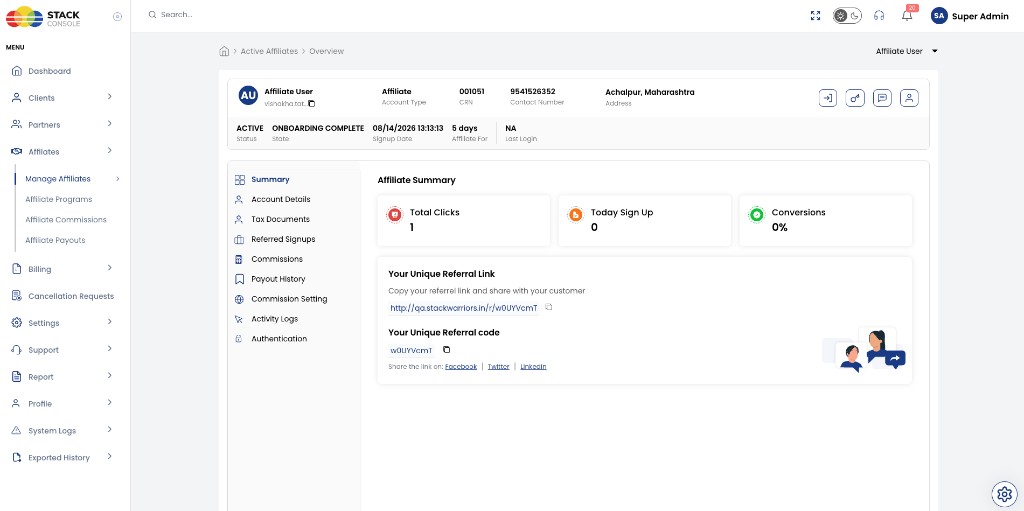
Performance stats
| Metric | Description |
|---|---|
| Total Clicks | Referral link clicks |
| Today Sign Up | Signups today |
| Conversions | Conversion rate |
Referral information
| Item | Description |
|---|---|
| Your Unique Referral Link | Full URL — copy or open in new tab |
| Your Unique Referral code | Short code customers can use at signup |
| Social sharing | Share link on Facebook, Twitter, LinkedIn |
Affiliates see the same referral information on their dashboard after login.
Account Details
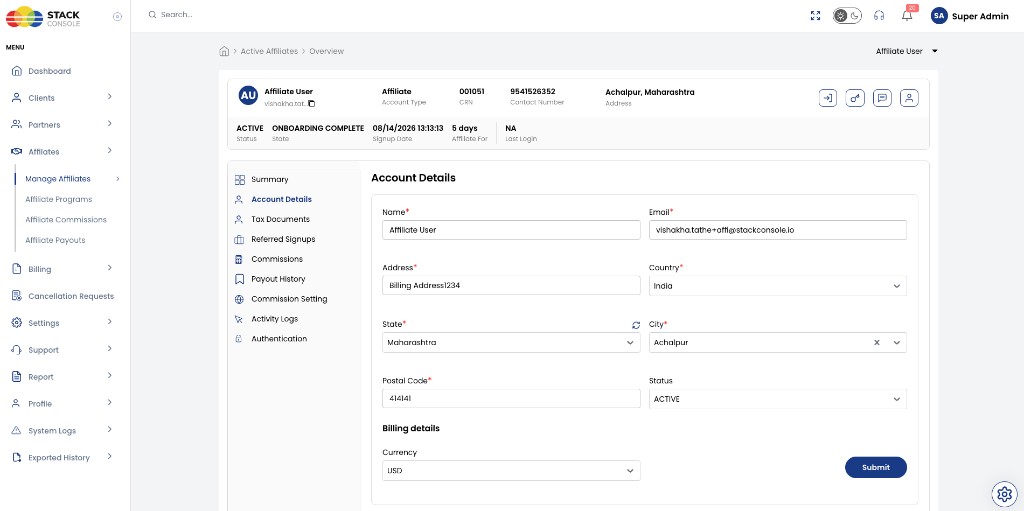
Admins can update affiliate account fields:
| Field | Description |
|---|---|
| Name | Affiliate display name |
| Registered email | |
| Address | Billing address lines |
| Country / State / City | Location dropdowns |
| Postal Code | ZIP or postal code |
| Status | For example ACTIVE |
| Billing Details — Currency | Payout currency — for example USD |
Click Submit to save changes.
Tax Documents
Review W8 and W9 documents uploaded during registration Step 2 (optional at signup).
Use this tab to confirm tax information before payouts — see Taxation.
Referred Signups
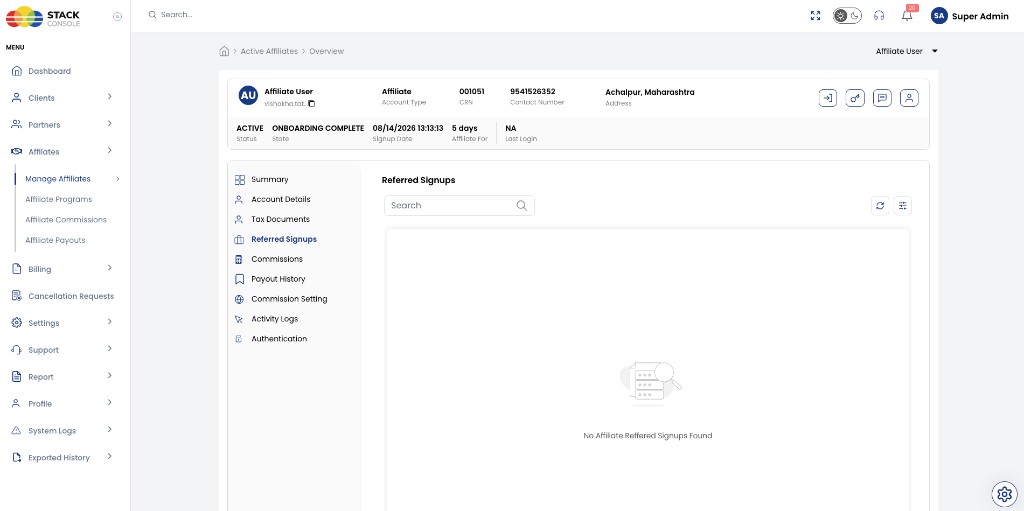
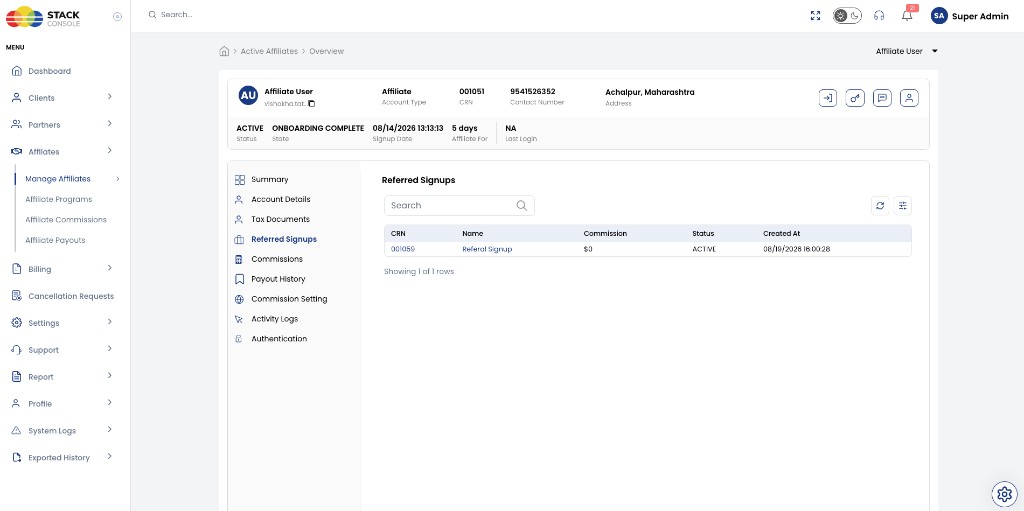
Lists customers who registered using this affiliate's link or code.
| Column | Description |
|---|---|
| CRN | Customer reference number |
| Name | Customer name |
| Commission | Commission attributed to this referral |
| Status | Customer account status — for example ACTIVE |
| Created At | Signup timestamp |
CMP stores the affiliate–customer relationship when the customer registers via the referral link.
Commissions
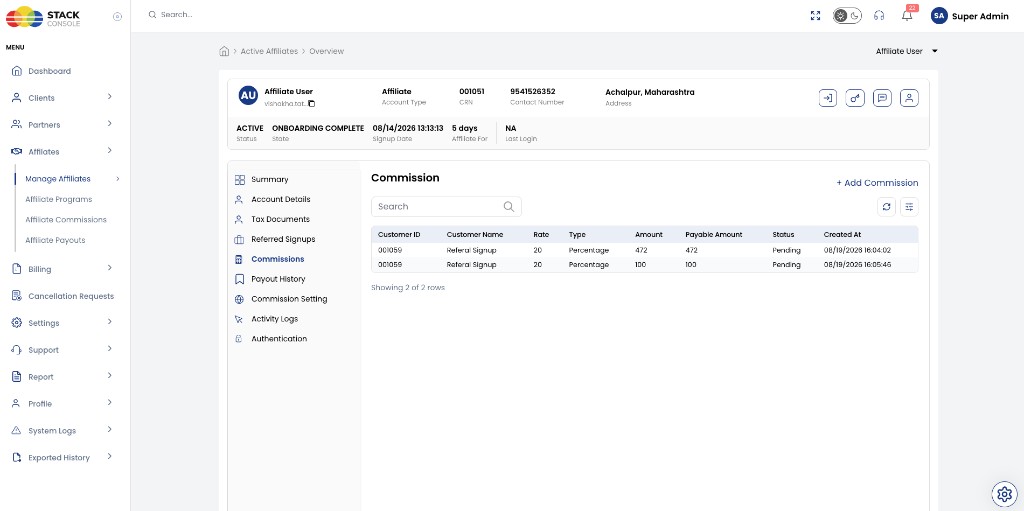
View commission rows for referred customers.
| Column | Description |
|---|---|
| Customer ID | Referred customer |
| Customer Name | Customer display name |
| Rate | Commission rate value |
| Type | Percentage (only commission type in current release) |
| Amount | Calculated commission |
| Payable Amount | Amount eligible for payout after holding duration and other program rules |
| Status | For example Pending |
| Created At | When commission was recorded |
Add custom commission
Admins can add a manual commission from the + Add Commission button.
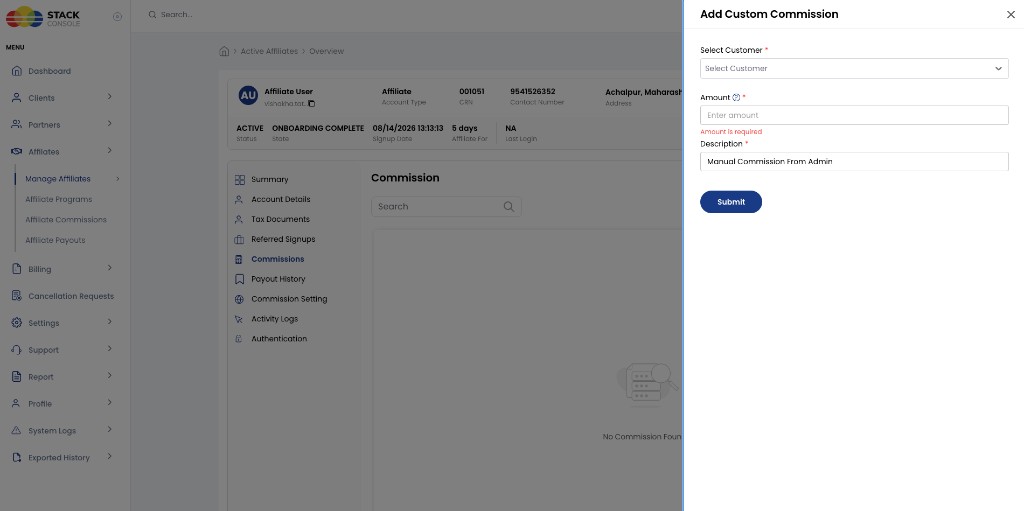
| Field | Description |
|---|---|
| Select Customer | Referred customer for this commission |
| Amount ($) | Manual commission amount |
| Description | For example Manual Commission From Admin |
Use manual commissions for adjustments or special cases — including debits for chargebacks where your process supports assigning debits to the commission account.
Click Submit to save.
Payout History
Shows past payouts for this affiliate — amounts, settlement dates, and paid status.
Pending amounts do not appear here until they pass the program Payout Holding Duration and are generated on a settlement day — see Payout eligibility.
Admins transfer funds externally and mark payouts as paid in Affiliates → Affiliate Payouts — Mark as paid. All payouts are manual; CMP does not automate fund transfer.
Commission Setting
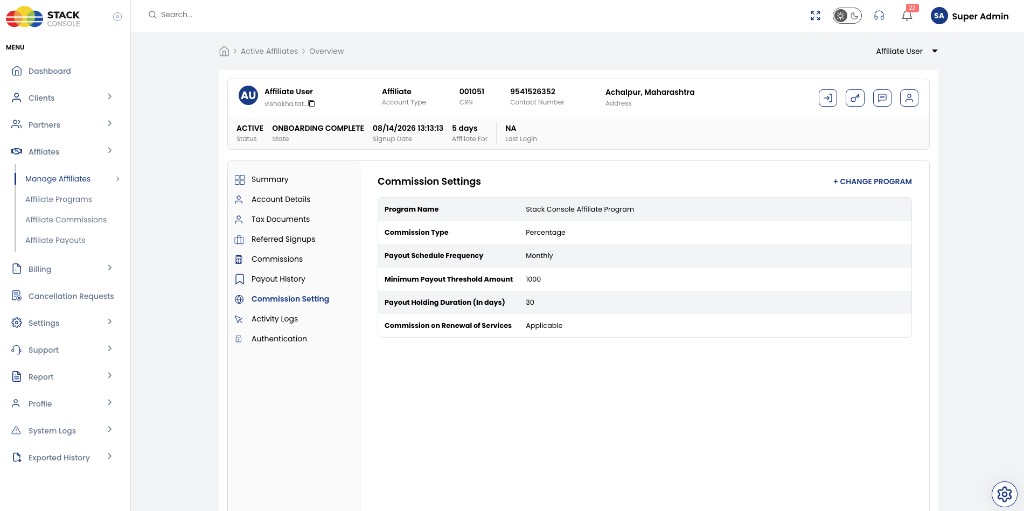
Shows the Affiliate Program and commission rules assigned to this affiliate. Use + CHANGE PROGRAM to assign a different program.
Typical fields (from assigned program):
| Field | Example |
|---|---|
| Program Name | Stack Console Affiliate Program |
| Commission Type | Percentage (only option in current release) |
| Payout Schedule Frequency | Monthly (only option in current release) |
| Minimum Payout Threshold Amount | 1000 (program-specific; example programs may use USD 100) |
| Payout Holding Duration (in days) | 30 (example; programs may use 45 days) — commissions do not appear in Affiliate Payouts until this many days have passed |
| Commission on Renewal of Services | Applicable or not |
Full program configuration: Program, Commissions & Payouts.
Activity Logs
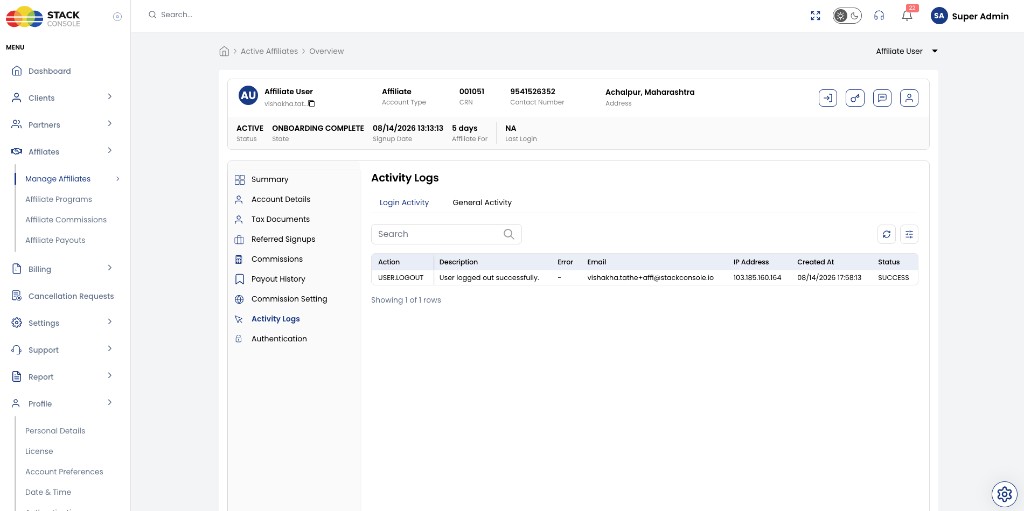
Sub-tabs: Login Activity · General Activity
| Column | Description |
|---|---|
| Action | For example USER.LOGOUT |
| Description | Event detail |
| Affiliate email | |
| IP Address | Client IP |
| Created At | Timestamp |
| Status | Success or failure |
Authentication
Manage affiliate login and security settings (password reset, authentication policy) from this tab.