Buckets & Objects
After an object storage service is active, customers create buckets and manage objects (files) through CMP and S3-compatible APIs.
Customer path: Storage → Object Storage → open a service → Buckets
Maximum 100 buckets per object storage service — fixed Impossible Cloud limit.
Impossible Cloud buckets do not support bucket policies, bucket ACLs, bucket public access, or object public access in CMP. See Feature comparison.
Create bucket
- Open the object storage service
- Under Buckets, click + Create Bucket
- Complete the form and click Create
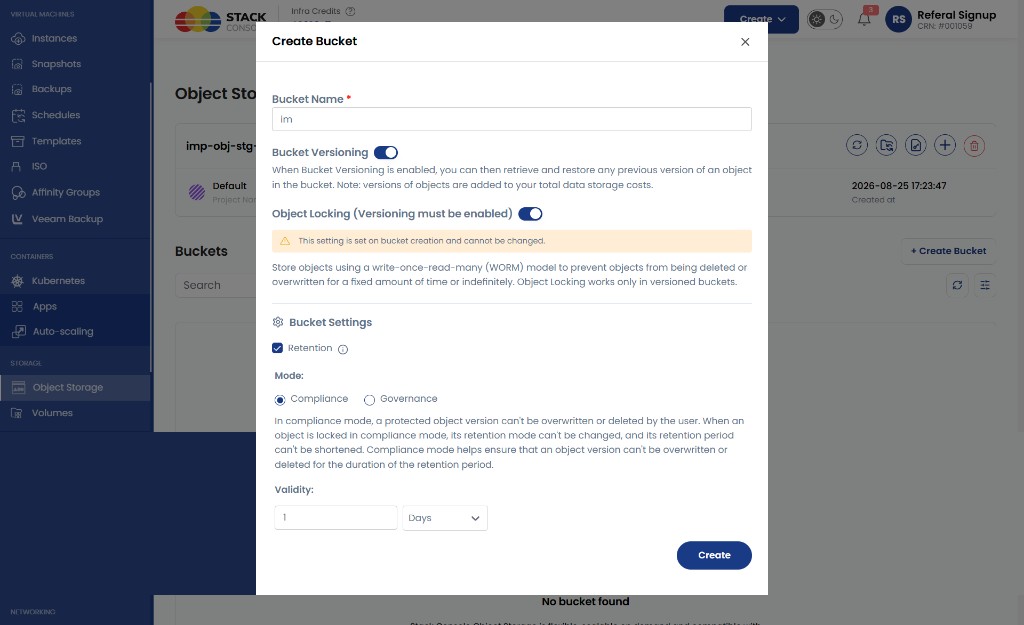
Create Bucket form
Bucket Name
Required. Unique bucket name.
Bucket Versioning
Optional. Toggle ON to keep multiple object versions.
When enabled, you can retrieve and restore previous versions. Additional versions increase storage usage and cost.
Object Locking (Versioning must be enabled)
Optional at create time only.
Object Lock is set on bucket creation and cannot be changed afterward. This follows AWS S3 behaviour — Object Lock cannot be removed once enabled.
With Object Lock, objects use a write-once-read-many (WORM) model to prevent deletion or overwrite for a fixed period. Versioning must be enabled before Object Lock.
Bucket Retention
Configure default retention when Object Lock is enabled:
| Mode | Behaviour |
|---|---|
| Compliance | Cannot switch back to Governance. Retention days/years are editable for future uploads. Objects cannot be deleted until retention expires. |
| Governance | Can be upgraded to Compliance. Retention days/years are editable. |
Set Validity (days or years) for the default retention period.
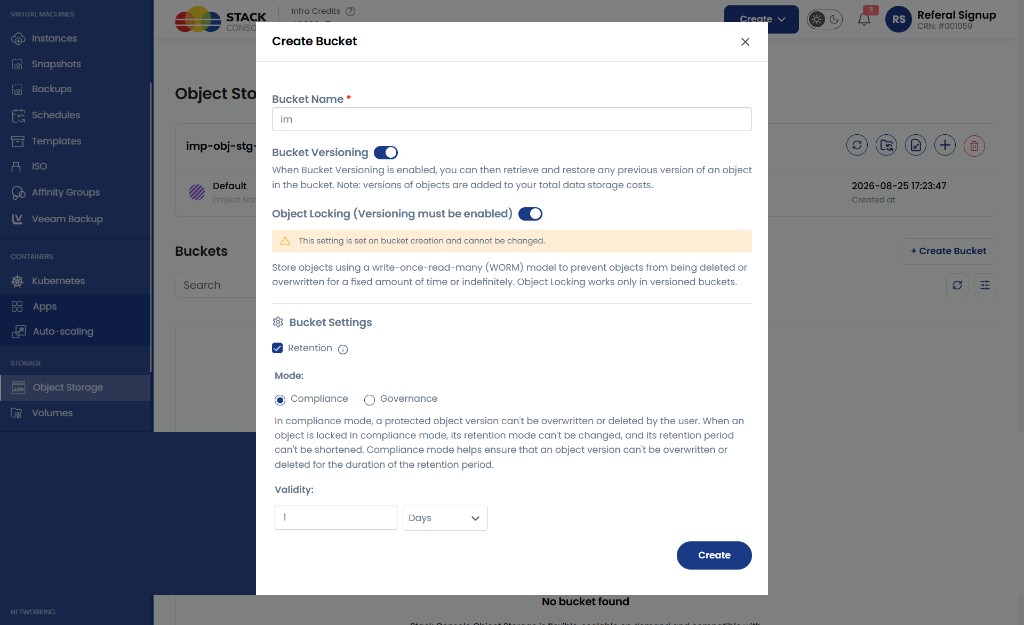
In Compliance mode, the form explains that protected object versions cannot be overwritten, deleted, or have their retention period shortened by the user.
Retention behaviour
Bucket default retention
| Scenario | Behaviour |
|---|---|
| Bucket set to Compliance, 2 years | All new objects locked for 2 years; cannot be deleted until expiry |
| Later changed to Compliance, 3 years | Existing objects keep original 2-year retention; new uploads get 3 years |
| Bucket set to Governance, 2 years | Objects locked 2 years; marked deletable per governance rules; bucket not deleted until retention expires |
Updating bucket retention does not modify existing objects — only newly uploaded objects receive updated settings.
Object retention
Objects inherit the bucket's default retention policy at upload time.
Supported object-level operations (when Object Lock is enabled):
| Operation | Compliance mode | Governance mode |
|---|---|---|
| View retention details | ✅ | ✅ |
| Update retention date | ❌ | ✅ |
| Apply Compliance / Governance | Per lock rules | ✅ |
| Legal hold | Per product rules | Per product rules |
Compliance mode: retention date cannot be edited or shortened; object cannot be deleted until expiry.
Governance mode: retention date is editable; can upgrade to Compliance.
Impossible Cloud supports deleting retention-marked objects and restoring them at the provider level. CMP does not expose this yet — it is in progress and planned for an upcoming release. Until then, customers can use supported CMP actions only (for example delete when lock rules allow, or provider-side tools outside CMP where permitted).
Supported bucket updates
After creation, supported bucket operations include:
- Bucket update — configuration changes allowed by lock state
- Versioning management — enable if not yet on (cannot disable while Object Lock is enabled)
- Retention policy update — subject to Compliance / Governance restrictions
Object Lock cannot be disabled after create.
Bucket overview
Open a bucket to view objects and actions.
Customer path: Storage → Object Storage → open a service → open a bucket
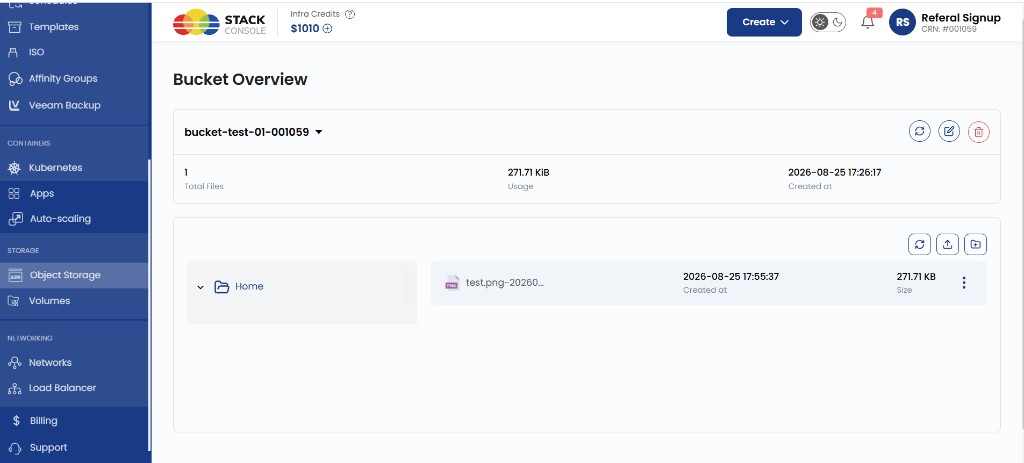
Typical summary (values synced at CMP level):
| Field | Description |
|---|---|
| Total Files | Object count — for example, 1 |
| Usage | Storage consumed — for example, 271.71 KiB |
| Created at | Bucket creation timestamp |
The file browser shows folders under Home, with Upload and Create Folder in the toolbar. Use the row menu (⋯) for per-file actions such as download or delete.
When the bucket is empty, CMP prompts you to create folders or upload files.
Bucket Share, bucket policy, and ACL features available on CEPH are not available for Impossible Cloud in CMP.
Object (file) operations
| Operation | Description |
|---|---|
| Upload files | Upload objects via drag-and-drop or browse; large files use multipart upload |
| New Folder | Create a prefix / folder in the bucket |
| Download files | Download to client |
| Delete files | Remove objects (subject to Object Lock / retention — see CMP retention limits) |
| Delete folder | Remove folder prefix and contents (subject to lock rules) |
| Signed URL | Time-limited URL for download or upload |
| Object retention | View or update per-object retention when Object Lock is enabled |
Upload files
- Open the bucket
- Click Upload in the toolbar
- Drag and drop files or Browse, then click Upload Files
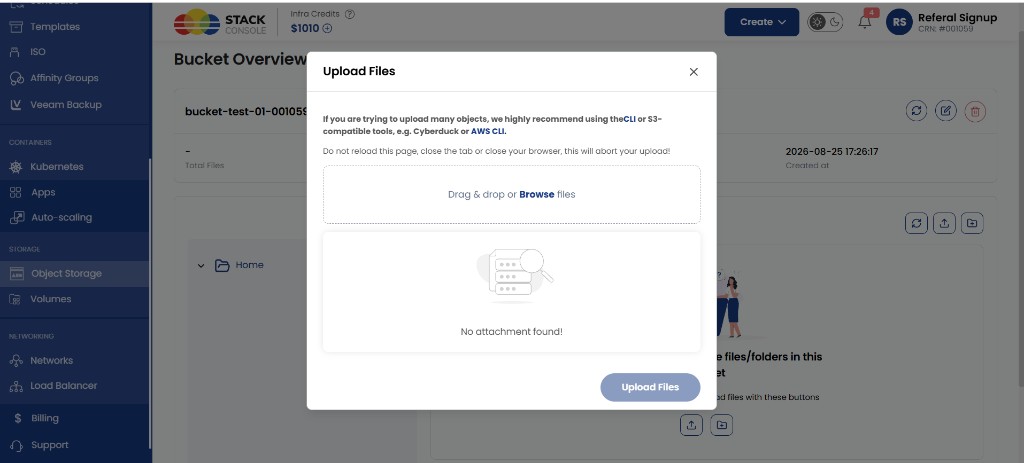
CMP recommends CLI or S3-compatible tools (for example Cyberduck or AWS CLI configured for your S3 endpoint) when uploading many objects. Do not reload or close the browser tab during an in-progress upload.
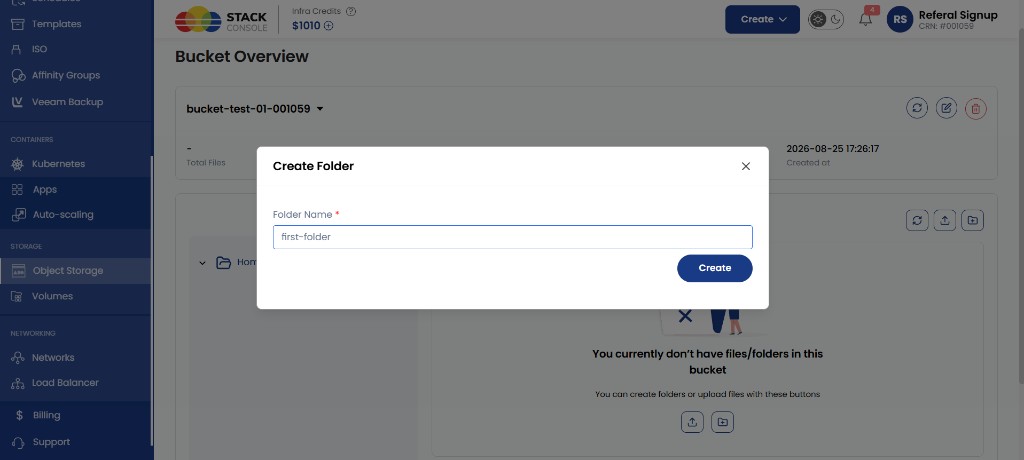
Create folder
- Open the bucket
- Click Create Folder (or the folder icon in the toolbar)
- Enter Folder Name and click Create
Object retention (when enabled)
- View object retention details
- Update retention date — Governance mode only
- Apply Governance or Compliance mode per object rules
- Manage legal hold where supported
CMP retention delete and restore (in progress)
Impossible Cloud can delete objects that are under retention and restore them again at the provider. CMP does not offer this workflow yet — planned for an upcoming release. Do not document or promise this to customers until the release ships.
Bucket emptying
Impossible Cloud does not expose a bucket emptying API. To clear a bucket programmatically:
- List objects via S3 API
- Delete each object with Delete Object or Delete Objects
Full bucket emptying through a single API call is available only in the Impossible Cloud UI, not through CMP or S3 empty-bucket APIs.