Templates
Customer My Templates in CMP for CloudStack — create and manage account-owned templates, use them when provisioning instances, and (when enabled) bill storage via Custom Template packages.
Admin-prepared OS templates used for standard VM provisioning are configured under Orchestrator Setup. This section covers customer-created templates (My Template) after setup.
- Admin OS templates — Templates (setup)
- Custom Template billing — Template packages
- This section — how customers create and use My Templates in the portal
Customers can create My Templates only when My Template is enabled in Cloud Provider Setup (Wizard Step 1).
How customers create templates
CMP supports three ways to create a customer template:
| Method | Typical use | Documentation |
|---|---|---|
| From existing VM (root volume) | Golden image for Autoscaling and repeatable app deployments | Create from VM root volume |
| Upload from local | Customer uploads a template file from their machine | Coming soon |
| Upload from URL | Customer registers a template from a remote URL | Coming soon |
Local and URL upload depend on admin settings (for example template_upload_from_local) — see Template packages — customer upload.
Templates list (customer portal)
Customer path: Virtual Machines → Templates
Templates created from VMs (and other My Template flows) appear on the global Templates page.
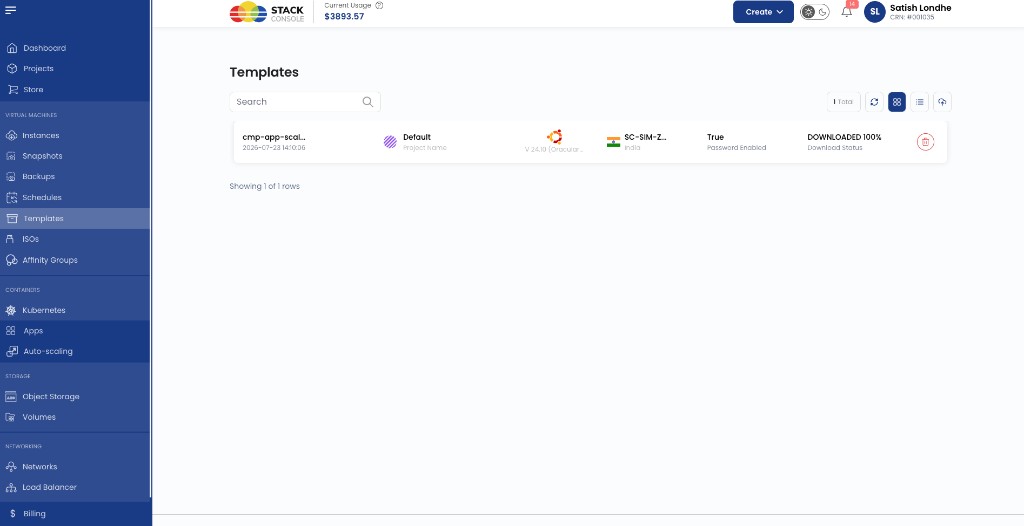
Typical columns include project, OS, zone, Password Enabled, and download status.
Once a template is ready, it also appears on Create Instance → Choose Image → My Templates so customers can provision new VMs from it — see Use on Create Instance.
Billing
Customer-owned templates stored under My Template are billed hourly per GB when a Custom Template package is configured for the zone.
Admin OS templates used at VM creation are not charged via the Custom Template package.