VPC Static Routes
A static route tells your VPC where to send traffic for a remote network. Customers manage VPC-level static routes from the VPC details page in CMP.
Customer path: Networking → Networks → open a VPC → Static Routes
Use VPC Static Routes when you need custom routing inside a VPC without using a Private Gateway route.
| Route type | Managed in CMP |
|---|---|
| VPC Static Routes | VPC details → Static Routes tab |
| Private Gateway Static Routes | VPC details → Private Gateway tab |
What you configure
| Field | Description | Example |
|---|---|---|
| CIDR | Destination network for the route | 10.50.0.0/24 |
| Next Hop | IP address that should receive traffic for that destination | 10.1.1.50 |
| Tags | Optional key/value labels to identify and organize routes | env = prod |
Requirements
VPC Static Routes in CMP require CloudStack 4.21 or later.
View static routes
The Static Routes tab lists routes configured for the VPC.
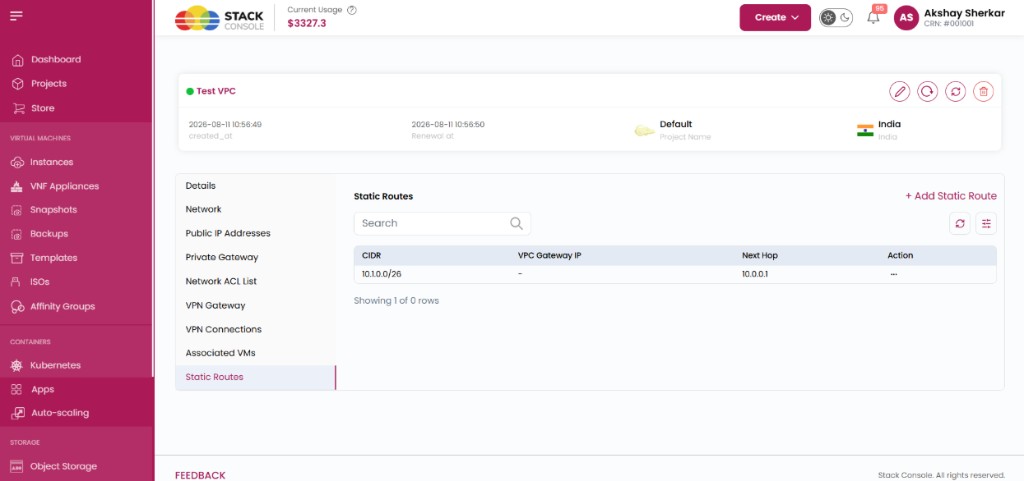
Each route shows:
| Column | Description |
|---|---|
| CIDR | Destination network |
| VPC Gateway IP | VPC gateway address associated with the route (when applicable) |
| Next Hop | Next-hop IP address |
| Action | Row actions (for example edit, tags, delete) |
Use the search bar and refresh control to filter or reload the list.
Create a static route
- Open the VPC → Static Routes
- Click + Add Static Route
- Complete the form and click Add
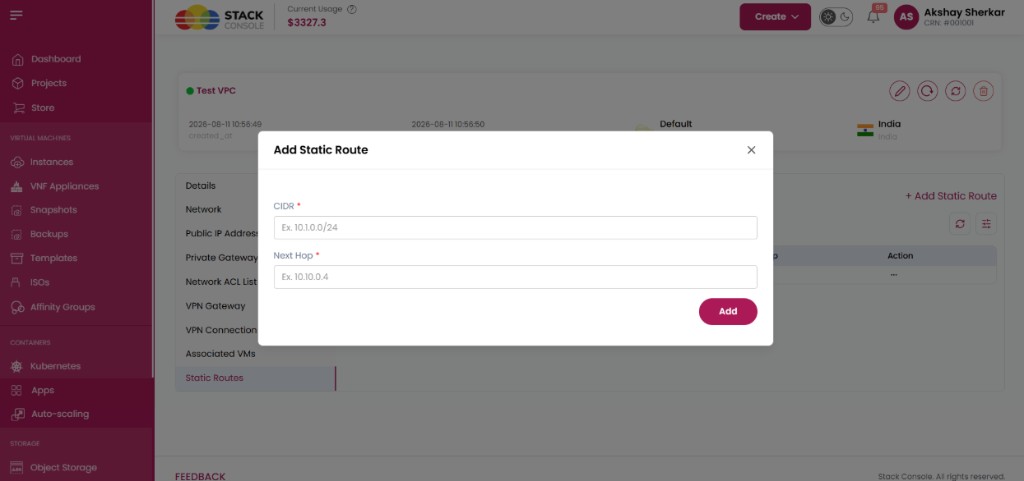
CIDR
Required. The destination network for the route.
Example: 10.50.0.0/24
Next Hop
Required. The IP address to which traffic for the specified destination network should be forwarded.
Example: 10.1.1.50
Click Add to create the route in CloudStack through CMP.
Tags
Tags are optional and can be used to identify and organize static routes.
- Open the route Action menu → Manage Tags (or equivalent)
- Enter Key and Value
- Click Add Tag
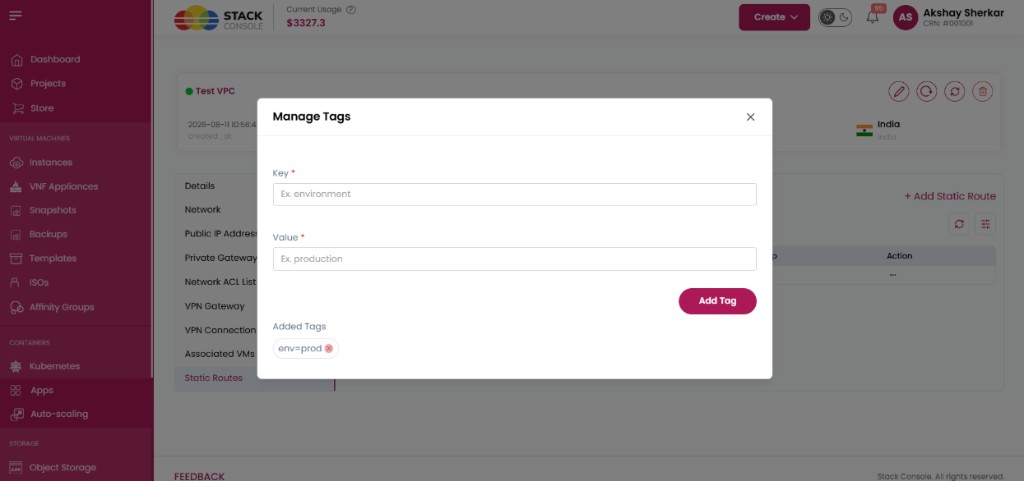
Key
Required when adding a tag. Tag name — for example, environment.
Value
Required when adding a tag. Tag value — for example, production.
Example tag: env = prod
Added tags appear on the route and can be removed from the same dialog.
Important notes
| Rule | Detail |
|---|---|
| CloudStack version | Requires CloudStack 4.21+ |
| CIDR overlap | The CIDR must not overlap with another static route in the same VPC |
| Scope | VPC Static Routes are managed at the VPC level |
| Private Gateway | Private Gateway Static Routes are managed under Private Gateway, not on this tab |
Use VPC Static Routes for custom routing to remote networks that should be handled at the VPC virtual router — for example, directing a subnet to an internal next-hop IP — without configuring a Private Gateway static route.