Backup Schedules
Instances Backup Schedules are CMP policies that automatically create VM backups on a recurring interval. Each run produces a backup object visible under Virtual Machines → Backups (and on the VM Backups tab).
This is the primary customer workflow for scheduled VM Backup — not to be confused with Volume Snapshot Schedules, which only snapshot disks.
Where to go
| Scope | Path |
|---|---|
| All backup schedules | Virtual Machines → Schedules → Instances Backup Schedules |
| One VM | Virtual Machines → Instances → [VM] → Schedules |
| Backup copies | Virtual Machines → Backups — Manage backups |
List backup schedules
The Instances Backup Schedules tab shows every VM backup schedule in the project.
img/screenshots/cmp-schedules-list.png
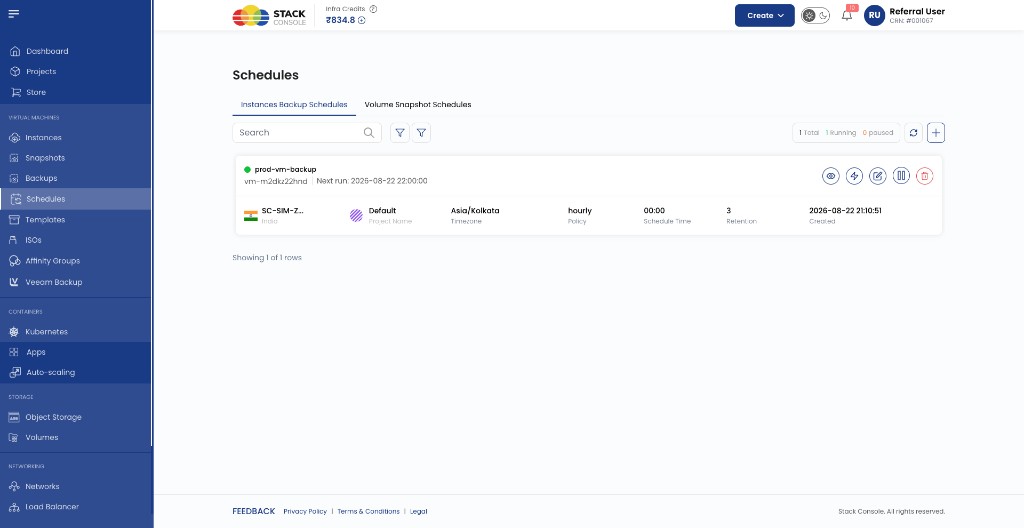
| Column | Description |
|---|---|
| Name | Policy name; shows linked VM id and Next run time |
| Location | Zone / region |
| Project Name | CMP project |
| Timezone | Policy timezone (for example Asia/Kolkata) |
| Policy | Frequency — hourly, daily, weekly, monthly |
| Schedule Time | Time of day for non-hourly policies |
| Retention | Maximum backups kept; oldest removed when exceeded |
| Created | When the schedule was created |
Row actions: View (scheduler overview), Run now, Edit, Pause, Delete.
Status summary (for example 1 Total | 1 Running | 0 paused) reflects active vs paused schedules.
Create a backup schedule
Virtual Machines → Schedules → Instances Backup Schedules → +
Or from a VM: Instances → [VM] → Schedules → +
img/screenshots/cmp-create-vm-backup-schedule.png
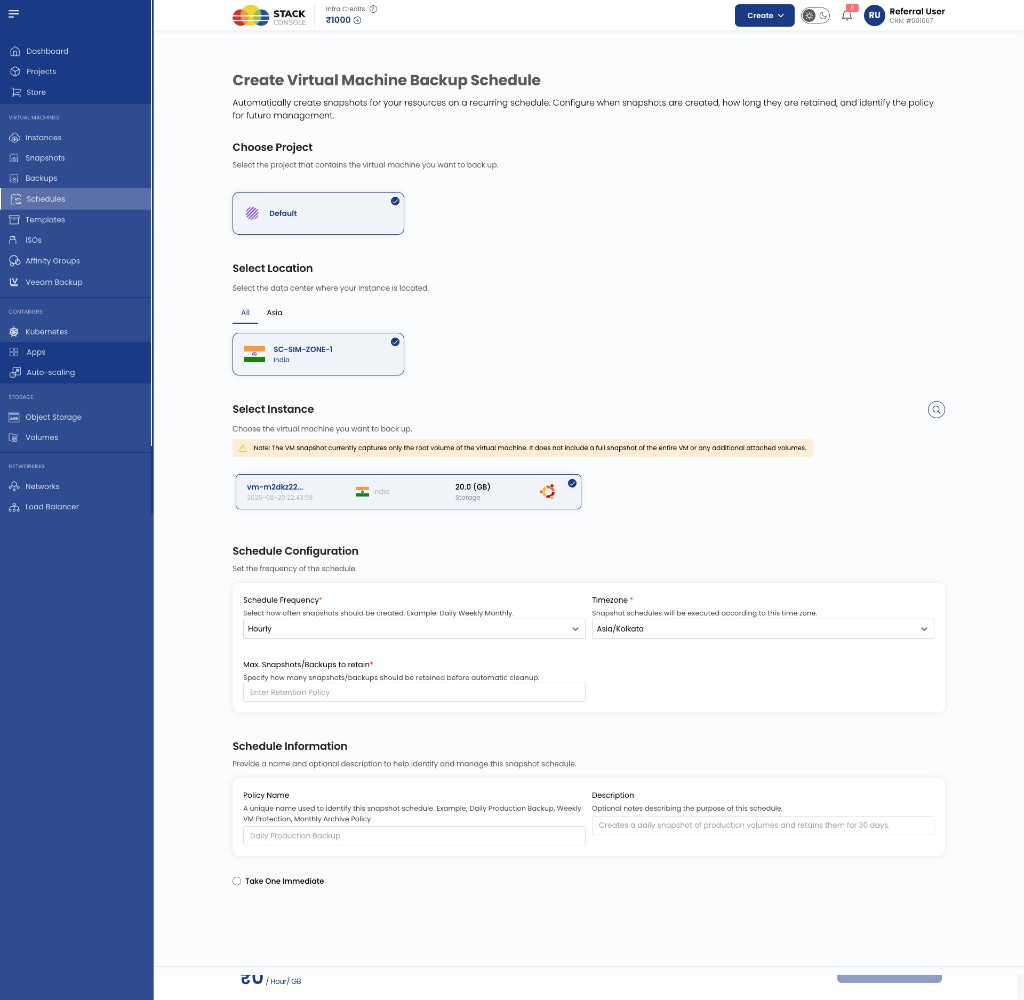
Choose Project
Required. CMP project the schedule belongs to.
Select Location
Required. Zone where the VM runs (must match the instance zone).
Select Instance
Required. The VM to back up.
When the connection uses Automated Volume Snapshot as Backup, CMP captures the VM root volume only — not additional data volumes. VM (instance) snapshots are not used because of environment-specific limitations; see Automated Volume Snapshot as Backup.
Schedule Frequency
Required. How often CMP runs the backup — for example Hourly, Daily, Weekly, Monthly.
Timezone
Required. Timezone used to interpret schedule time (for example Asia/Kolkata).
Max Snapshots/Backups to retain
Required. Retention count. When the limit is reached, CMP deletes the oldest backup created by this schedule before creating a new one.
Policy Name
Required. Display name for the schedule (for example prod-vm-backup).
Description
Optional. Notes for admins or customers.
Take One Immediate
Optional. If checked, CMP runs one backup as soon as the schedule is created, in addition to the recurring policy.
Click Review & Create to save.
VM-specific schedules
From Instances → [VM] → Schedules, the list shows only schedules for that VM.
img/screenshots/cmp-vm-schedules-tab.png
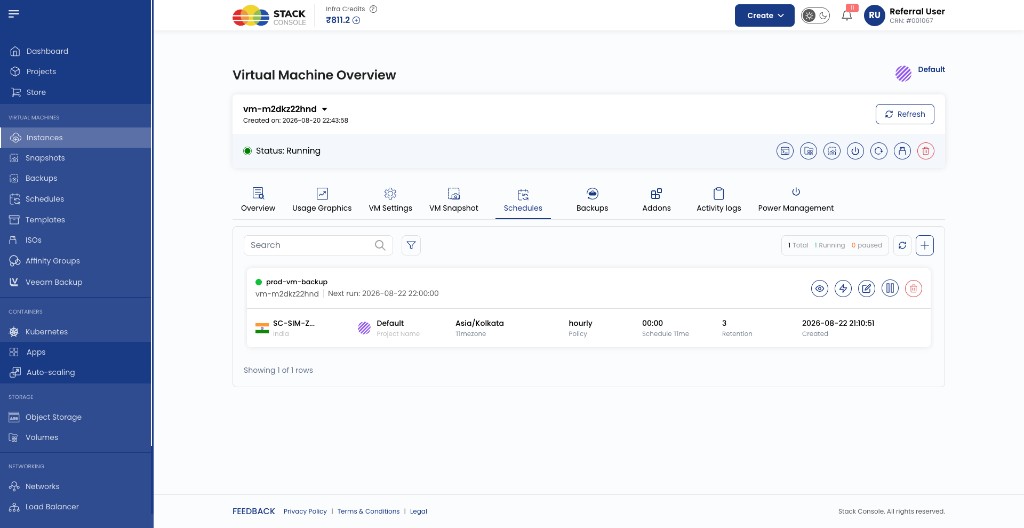
Creation and columns match the global list. Use this tab when managing backup policy for a single instance.
Scheduler overview
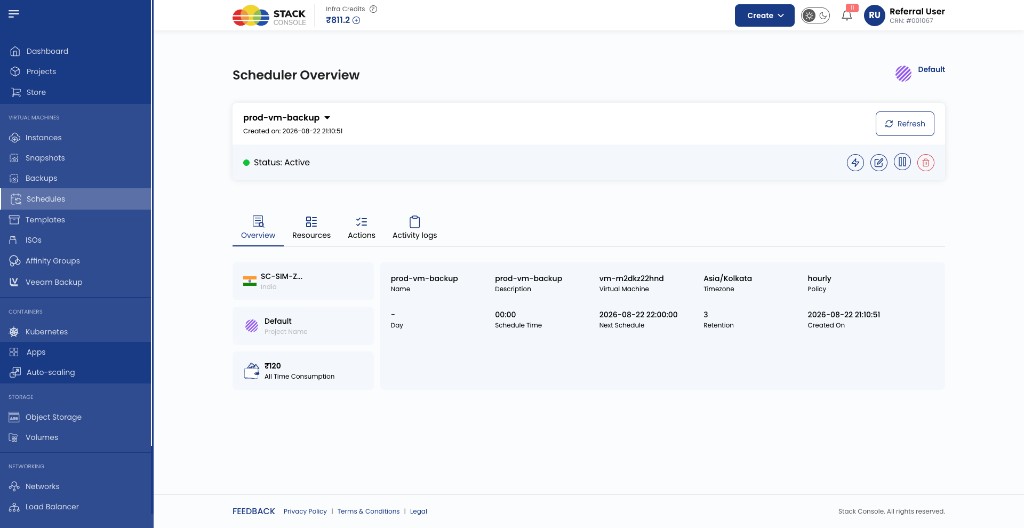
Open a schedule from the list to view Scheduler Overview.
Overview tab
Policy summary: VM, timezone, frequency, schedule time, Next Schedule, retention, created date.
img/screenshots/cmp-scheduler-overview.png
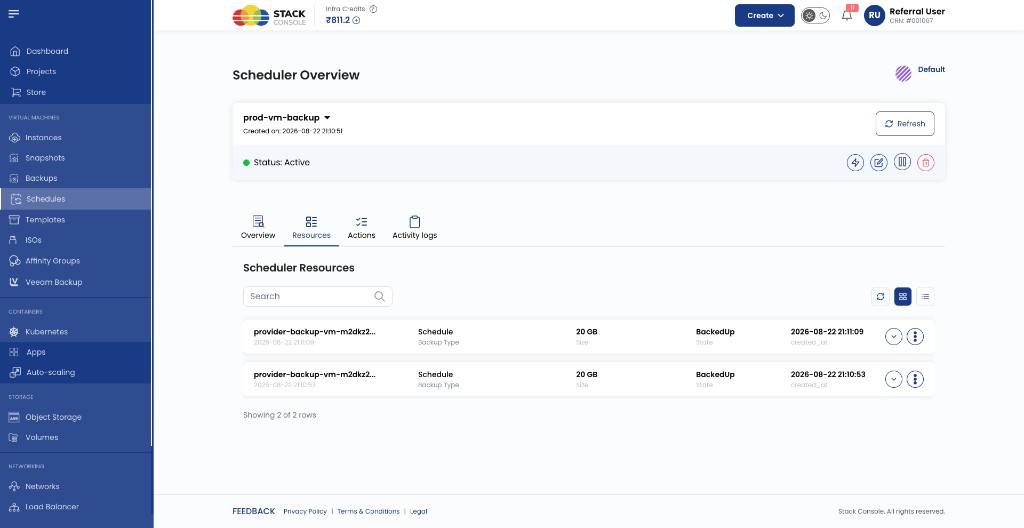
Resources tab
Lists backup copies produced by this schedule (name, size, state BackedUp, created time). Use Restore on a row to restore that backup to the VM — see Restore backup.
img/screenshots/cmp-scheduler-resources.png
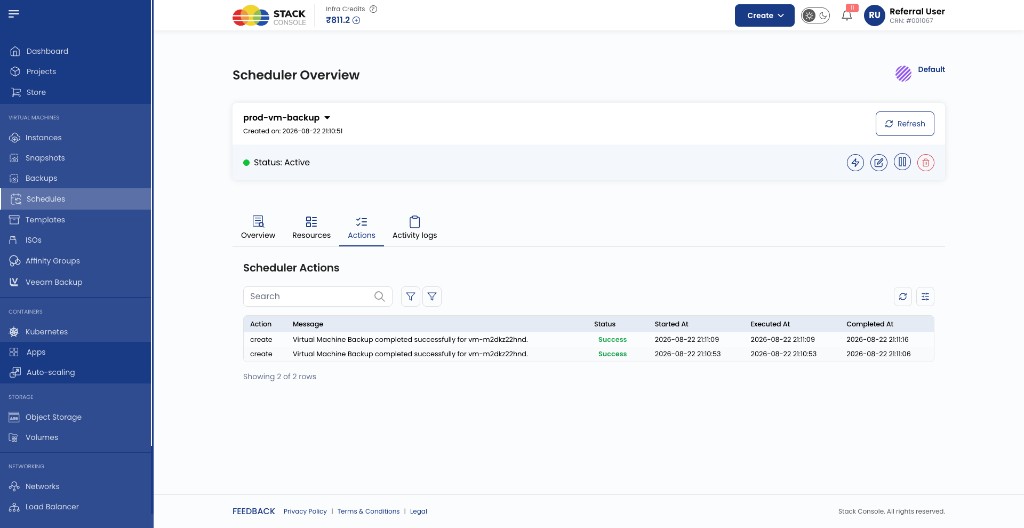
Actions tab
Per-execution log — for example create with message Virtual Machine Backup completed successfully for <vm-id>.
img/screenshots/cmp-scheduler-actions.png
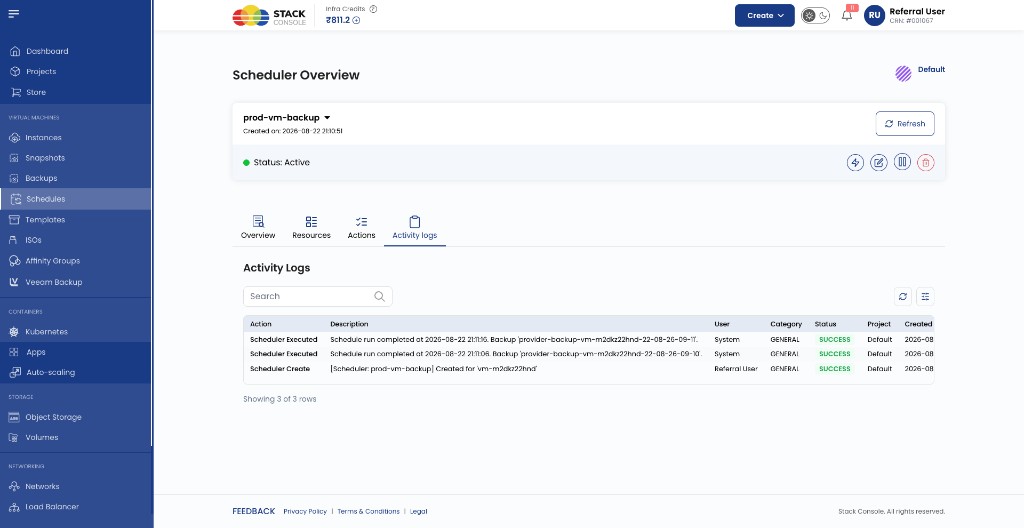
Activity logs tab
Audit events: Scheduler Create, Scheduler Executed, user or System, SUCCESS status.
img/screenshots/cmp-scheduler-activity-logs.png
Header actions: Run now (lightning), Edit, Pause, Delete.
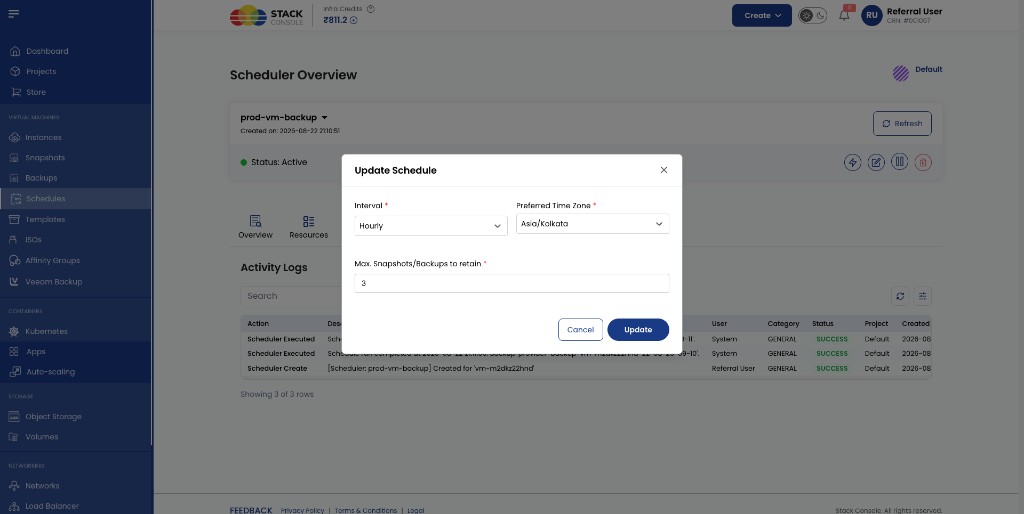
Edit a schedule
From the schedule list or overview, click Edit to change:
- Interval (frequency)
- Preferred timezone
- Max Snapshots/Backups to retain
Policy name, target VM, and location are set at creation.
img/screenshots/cmp-scheduler-edit.png
Pause, run now, delete
| Action | Effect |
|---|---|
| Pause | Stops future timed runs; existing backups are kept |
| Run now | Triggers one backup immediately — same policy as the schedule; appears on Backups as Type: Manual. See Manual vs Schedule. |
| Delete | Removes the schedule; does not automatically delete existing backup copies — manage those under Backups |
Run now confirmation
CMP asks for confirmation before running the schedule on demand:
img/screenshots/cmp-scheduler-run-now-confirm.png
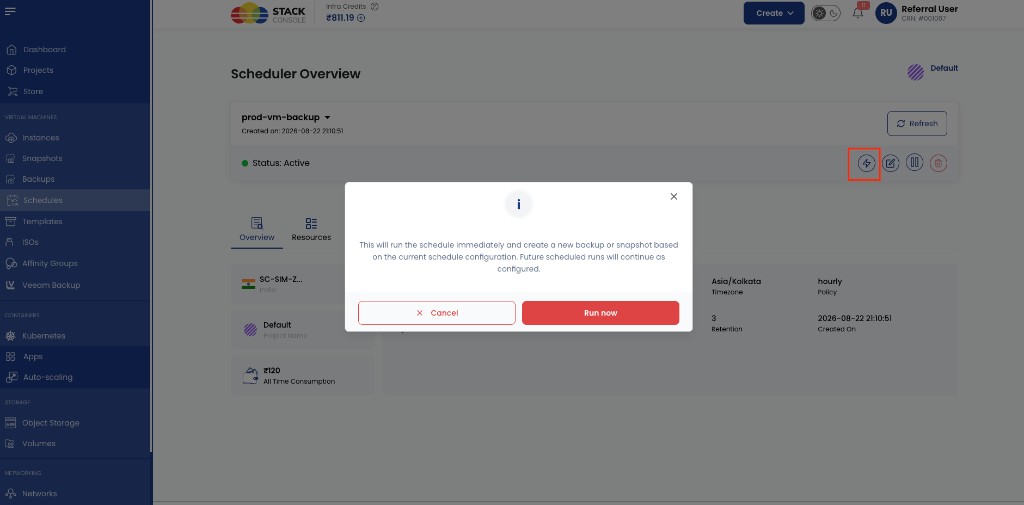
This will run the schedule immediately and create a new backup or snapshot based on the current schedule configuration. Future scheduled runs will continue as configured.
Billing
Each backup retained by the schedule is billed via the VM Backup package (BACKUP) — hourly per GB for as long as it exists. See VM Backup packages.
Related
- Schedules (overview)
- Snapshot schedules — different tab, different product
- Manage backups
- Backup